After completing my 50-question SQL project on the Olist Brazilian E-Commerce dataset, I stepped into Stage 2: Python for Data Engineering.
Before touching pandas or building ingestion scripts, I spent the day writing code in JupyterLab to master NumPy (numpy as np). NumPy is the foundational C-optimized engine beneath Pandas, PySpark, scikit-learn, and machine learning tensors.
Here are my complete, unfiltered student notes and code breakdowns from my notebook session.
1. What is NumPy and Why Does Data Engineering Need It?
In standard Python, lists are flexible: they can store integers, strings, objects, and dictionaries all inside the same list. But this flexibility comes with high memory overhead and slow computation because Python has to check each element’s data type at runtime.
A NumPy ndarray (N-dimensional array) solves this:
- Homogeneous: Every element in the array must have the exact same data type (
int64,float64, etc.). - Contiguous memory: Stored as continuous blocks of memory in RAM, allowing C-level speed and vectorization.
- Fixed item size: Fast indexing without pointer lookups.
2. Creating Arrays from Scratch
Here is how I practiced initializing arrays across 1D, 2D, and identity matrices:
import numpy as np

# 1. 1D Array from Python List
arr1 = np.array([1, 2, 3, 4, 5])
print(arr1)
# Output: [1 2 3 4 5]

# 2. 2D Matrix (List of Lists)
arr2 = np.array([[1, 3], [1, 4]])
print(arr2)
# Output:
# [[1 3]
#  [1 4]]

# 3. Zeros and Ones Matrices (Crucial for matrix initialization & masks)
arr3 = np.zeros((3, 3))    # 3x3 matrix of float zeros
arr4 = np.ones((2, 3))     # 2x3 matrix of float ones

# 4. Identity Matrix (np.identity or np.eye)
arr5 = np.identity(5)      # 5x5 matrix with 1.0 on diagonal
Ranges: np.arange vs np.linspace
Understanding the difference between step-size and sample-count is essential:
# np.arange(start, stop, step) - exclusive stop
arr6 = np.arange(5, 15, 2)
# Output: [ 5  7  9 11 13]

# np.linspace(start, stop, num_samples) - inclusive stop
arr7 = np.linspace(10, 20, 10)
# Output: 10 evenly spaced floats from 10.0 to 20.0
[!TIP] Copying Arrays (
copy()vs Views): If you assignarr8 = arr7, Python only creates a reference (a view). Modifyingarr8modifiesarr7! Always usearr8 = arr7.copy()when you need an isolated, independent array.
3. Array Inspection and Properties
When receiving raw data in a pipeline, inspect its metadata first:
arr9 = np.array([[[1, 2], [1, 3]], [[3, 4], [2, 3]], [[3, 4], [2, 3]]])

print("Shape:", arr9.shape)       # (3, 2, 2) -> 3 blocks, 2 rows, 2 columns
print("Dimensions:", arr9.ndim)    # 3 dimensions
print("Total elements:", arr9.size)# 12 elements
print("Data type:", arr9.dtype)    # int64
print("Item size in bytes:", arr9.itemsize) # 8 bytes per element

# Type Casting with astype()
arr10 = arr9.astype('float32')
print("New Item Size:", arr10.itemsize) # 4 bytes per element
4. Reshaping, Slicing, and Multi-Dimensional Iteration
In data processing, you constantly reshape 1D sensor streams or CSV columns into 2D tables or 3D batches.
# Create a 24-element 1D array and reshape into 6 rows x 4 columns
arr11 = np.arange(24).reshape(6, 4)
# [[ 0,  1,  2,  3],
#  [ 4,  5,  6,  7],
#  [ 8,  9, 10, 11],
#  [12, 13, 14, 15],
#  [16, 17, 18, 19],
#  [20, 21, 22, 23]]
2D Slicing: [row_start:row_stop, col_start:col_stop]
Unlike standard Python lists which require nested list comprehensions, NumPy allows direct multi-axis slicing:
# Extract rows 2 to 4 (exclusive) and columns 2 to 4 (exclusive)
sub_matrix = arr11[2:4, 2:4]
# Output:
# [[10, 11],
#  [14, 15]]
Fast Iteration with np.nditer
Iterating over high-dimensional arrays using standard nested for loops is slow. np.nditer flattens the iteration in C:
for item in np.nditer(arr11):
    # Iterates smoothly element-by-element from 0 to 23
    pass
5. Operations, Matrix Multiplication, and Vectorization
One of NumPy’s biggest superpowers is vectorization: applying mathematical operations element-wise without manual loops.
# Element-wise operations
a = np.arange(6).reshape(2, 3)
b = np.arange(6, 12).reshape(2, 3)

print(a + b)  # Element-wise addition
print(a * b)  # Element-wise multiplication
print(a > 2)  # Boolean condition matrix

# Matrix Multiplication (Dot Product)
# Rules of linear algebra: columns of first must equal rows of second
matrix_a = np.arange(6).reshape(2, 3)    # shape (2, 3)
matrix_b = np.arange(6, 12).reshape(3, 2)# shape (3, 2)
result = matrix_a.dot(matrix_b)          # shape (2, 2)
Aggregations Along Axes
In data engineering and SQL, you often aggregate across columns or rows (GROUP BY equivalent):
axis=0: Operation performed vertically downwards across columns.axis=1: Operation performed horizontally across rows.
print(matrix_a.max())        # Overall maximum
print(matrix_a.max(axis=0))  # Max per column
print(matrix_a.max(axis=1))  # Max per row
print(matrix_a.mean())       # Mean of all elements
print(np.median(matrix_a))   # Median
print(matrix_a.std())        # Standard deviation
6. Boolean Masking, Fancy Indexing, and Conditional Filtering
This is where NumPy directly mirrors SQL filtering (WHERE clauses).
Fancy Indexing
You can pull specific rows or items by passing a list of desired coordinate indices:
arr = np.linspace(10, 20, 10)
# Select indices 0, 3, and 4 in one call
subset = arr[[0, 3, 4]]
# Output: array([10., 13.33333333, 14.44444444])
Boolean Filtering (The NumPy WHERE Clause)
# Generate random test dataset
data = np.random.randint(low=1, high=100, size=20).reshape(4, 5)

# Filter: find all numbers greater than 50 that are odd
mask = (data > 50) & (data % 2 != 0)
filtered_values = data[mask]
print(filtered_values)

# Masked Replacement: Set all matching items to 0 (Data Cleaning)
data[(data > 50) & (data % 2 != 0)] = 0
SQL CASE Equivalent: np.where(condition, if_true, if_false)
Just like SQL’s CASE WHEN condition THEN A ELSE B END:
a3 = np.random.randint(10, 20, 10)
# Replace even numbers with -1, leave odd numbers unchanged
cleaned = np.where(a3 % 2 == 0, -1, a3)
7. Understanding Broadcasting
Broadcasting explains how NumPy treats arrays with different shapes during arithmetic operations. Subject to certain constraints, the smaller array is “broadcast” across the larger array so that they have compatible shapes without copying memory.
a1 = np.arange(3).reshape(1, 3)   # shape (1, 3) -> [[0, 1, 2]]
a2 = np.arange(12).reshape(4, 3)  # shape (4, 3) -> 4 rows of 3 columns

# NumPy stretches a1 vertically across the 4 rows of a2 automatically:
result = a1 + a2
The Broadcasting Rule:
Two dimensions are compatible when:
- They are equal, or
- One of them is 1.
8. Plotting Mathematical Curves with Matplotlib
To visually confirm vectorization and trigonometric arrays, I paired np.linspace with matplotlib.pyplot:
import matplotlib.pyplot as plt

# 1. Sine wave generation
x = np.linspace(-40, 40, 100)
y = np.sin(x)

plt.plot(x, y)
plt.title("Sine Wave with NumPy Vectorization")
plt.show()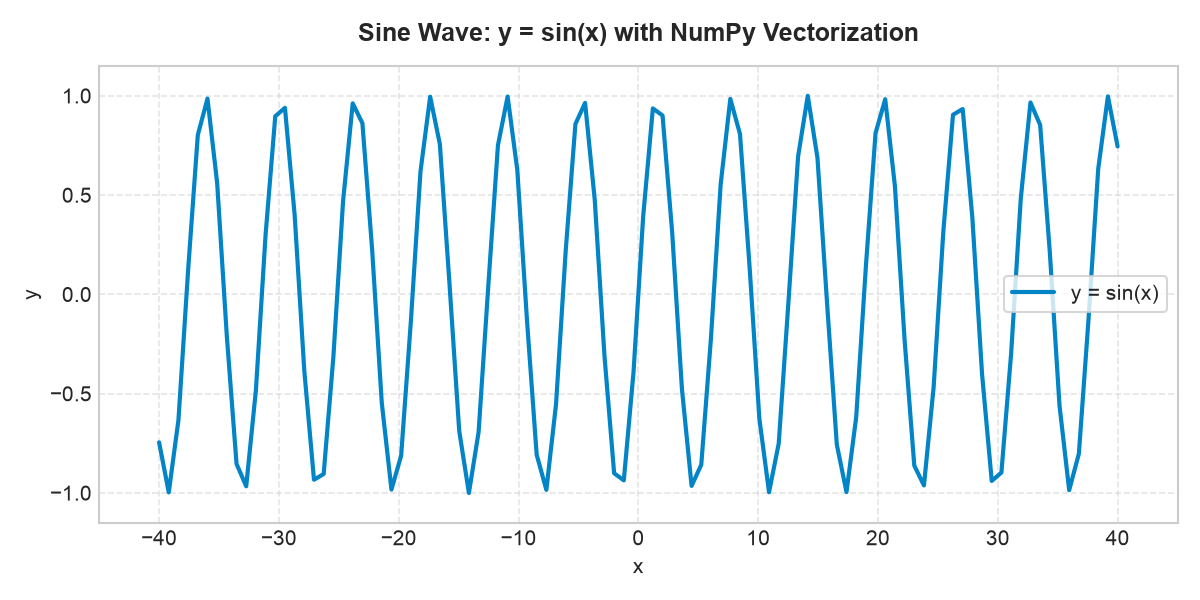
# 2. Parabolic quadratic curve: y = x^2 + 2x + 6
y2 = x**2 + 2*x + 6

plt.plot(x, y2)
plt.title("Quadratic Curve: y = x^2 + 2x + 6")
plt.show()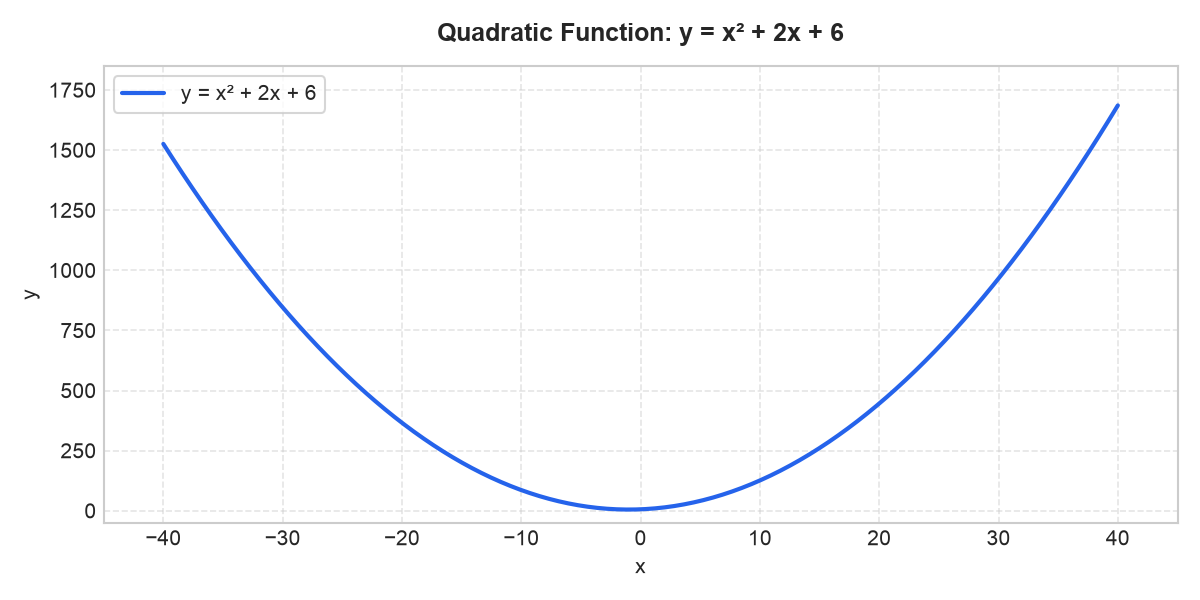
9. Key Statistical and Utility Functions
| Function | Purpose in Data Processing |
|---|---|
np.random.randint(low, high, size) |
Generate mock datasets with realistic bounds |
np.random.uniform(low, high, size) |
Continuous random floating numbers |
np.argmax(a) / np.argmin(a) |
Returns the index of the highest / lowest element |
np.percentile(a, 25) |
Calculate quartiles and detect statistical outliers |
np.sort(a) |
In-place or copy-based array sorting |
Summary and Next Steps
Practicing NumPy hands-on in JupyterLab made the transition from SQL to Python clear:
- SQL Tables $\rightarrow$ NumPy 2D ndarrays (and soon Pandas DataFrames)
WHEREfiltering $\rightarrow$ Boolean masks &np.where()GROUP BY& Aggregations $\rightarrow$axis=0/axis=1operations (sum,mean,max)
With NumPy’s array mechanics under my belt, my next post will dive into Pandas: creating DataFrames, reading CSV/JSON files, and handling missing data.
